Diagrams at a size people can read, and diagrams that stay up if a license lapses
Version 2.8.0 changes how big a diagram is on the page, and what readers see if a license lapses.
In short
- Small diagrams are no longer blown up; wide ones stay readable and scroll sideways.
- Double-click a diagram for full screen.
- If a license lapses, pages and exports keep showing diagrams as last saved. Only editing stops.
- Security updates: Mermaid 11.16.1 and DOMPurify 3.4.17.
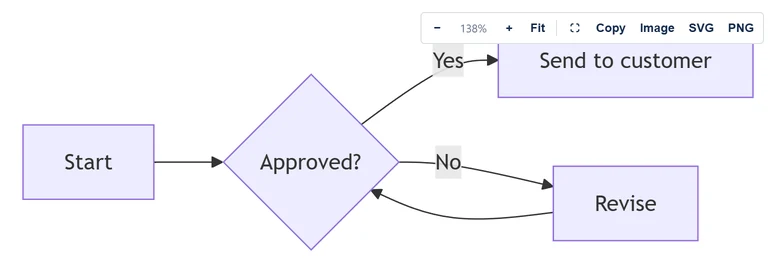
Readable sizes
Diagrams show at a size people can read. Small diagrams are no longer blown up to fill the page, and wide ones no longer shrink until they cannot be read: they stay readable and scroll sideways. Fit shows the whole diagram, and a double-click opens it full screen.
For the old look, open a diagram and choose Fill the width under Size on the page.
If a license lapses
Pages and exports keep showing diagrams as last saved. Only editing stops. Before, readers saw a license notice instead of the diagram.
A rating request
After two weeks of use, the editor may show a line asking for a Marketplace rating. Not now hides it for 60 days. Your answer stays in your browser, is saved only when you click, and is sent nowhere.
Security updates
Mermaid 11.16.1 and DOMPurify 3.4.17, fixing published advisories. No new permissions, and nothing leaves Atlassian.
Read more
Source: the release notes for each version on the Mermaid & PlantUML Diagrams for Confluence listing on the Atlassian Marketplace.