Mermaid 12.3 in Confluence: a hand-drawn look, the ELK layout and 32 diagram types
Version 2.9.0 draws with Mermaid 12.3. Existing diagrams keep their look, and there are new choices for how a diagram looks and is laid out.
In short
- Mermaid 12.3, with your diagrams drawn the classic way so they keep their look.
- Look and Layout, beside Colours: hand-drawn, Neo and the ELK layout.
- An example, syntax help and an AI prompt for all 32 diagram types.
- Paste a mermaid.live link to get its diagram.
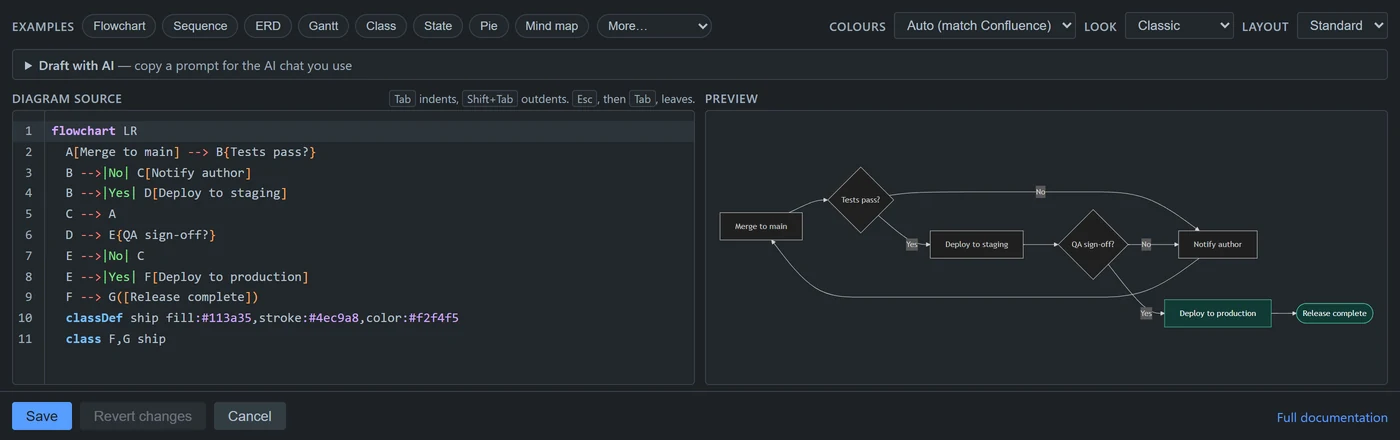
Your diagrams keep their look
The app has Mermaid 12 draw your existing diagrams the classic way. Mermaid 12 itself draws a few kinds differently:
- C4 and block diagrams;
- mind maps;
- flowcharts whose subgraphs set their own direction but have arrows from node to node across them.
For those, the editor now says which arrows to change. A label on a curved line can sit elsewhere on it. If a Word or PDF picture differs from the page, open the diagram and click Save.
Look and Layout
Beside Colours, two new choices: Look (classic, hand-drawn or Neo) and Layout, which offers the ELK layout.
Help for all 32 diagram types
Every diagram type has an example, syntax help and an AI prompt. The newer ones are under More: timelines, C4, Sankey, XY charts, kanban, architecture, use case and others.
Paste a mermaid.live link
Paste a mermaid.live link and the editor shows its diagram. The link is read in your browser; the app opens nothing.
Security and browsers
The last open advisory in a bundled library is fixed. There are no new permissions, and nothing leaves Atlassian. Use a current browser; Safari needs 17.4 or later.
Read more
Source: the release notes for each version on the Mermaid & PlantUML Diagrams for Confluence listing on the Atlassian Marketplace.