Paste from GitHub or another app
Paste the whole thing; the editor tidies it up. Plain Mermaid text goes in exactly as you pasted it.
The editor takes away:
-
A Markdown code fence: the
```mermaidline above a diagram and the```line below it. Diagrams on GitHub, GitLab and in README files have them. Fences written~~~or::: mermaidgo too. - The wrapping that other Mermaid apps for Confluence save around a diagram.
- The HTML around a diagram copied from a web page's source.
-
HTML codes such as
>, turned back into characters, when the whole diagram was written in them.
```mermaid
flowchart LR
  A[Idea] --> B[Plan] --> C[Build]
```
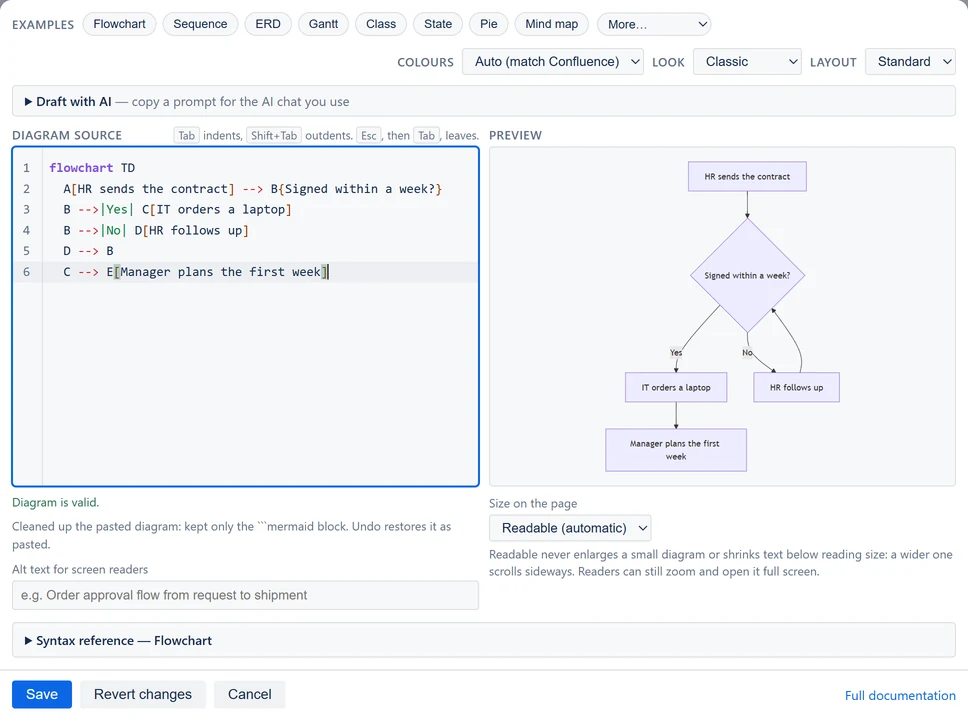
A note under the text says what was cleaned up. It reads "Cleaned up the pasted diagram: … Undo restores it as pasted." It goes after 8 seconds, or when you type.
Press Ctrl+Z (Cmd+Z on a Mac) once to get back exactly what you pasted. Press it again to remove the paste. The clean-up runs in your browser and sends nothing anywhere.
Paste a link from mermaid.live
A link copied from mermaid.live, Mermaid's own online editor, carries the whole diagram inside the link. Paste the link into Diagram source by itself, and the editor puts the diagram there in its place. The note reads "Cleaned up the pasted diagram: took the diagram out of the pasted link. Undo restores it as pasted."
The editor reads the diagram out of the text you pasted. It does not open the link, and nothing is sent anywhere. Only the diagram's text is taken, so choose Colours and Look in the editor.
If the link was cut short, is too long or holds no diagram, nothing is pasted, and a line under the text says why. Pasting a link from mermaid.live lists the links that work.
Move a diagram from another Mermaid app
Copy the diagram's text from the old app's editor. Paste it into a new Mermaid Diagram next to the old one, and select Save. When the new diagram looks right, delete the old one and select Update.
If the old app no longer opens, a Confluence admin can copy the diagram from the page's storage format, under More actions (•••) → Advanced details → View Storage Format. Moving a diagram from another Mermaid app has every step.
A diagram of this app can still hold another app's saved format, if it was pasted in before version 2.5. The editor cleans it up when you open it, and the note reads "Cleaned up this diagram: … Save to keep it."